AI Chatbot for WordPress: Costs, Plugins and Setup (2026 Guide)
 Ansar Bhatti
8 min read

Short answer: You can add an AI chatbot to a WordPress site in under an hour with a plugin or an embed widget, and most small business sites pay roughly $19 to $89 per month for a hosted tool. A custom build with an AI API costs more up front, but it can also update your CRM and book appointments. The right choice depends on how many questions your visitors ask and what you want the bot to do after it answers.
A website chatbot answers visitor questions at any hour, collects leads when you are busy and hands difficult conversations to a person. Done well, it saves hours of repetitive email. Done badly, it gives wrong prices and annoys customers. This guide explains how an AI chatbot for WordPress works, the three ways to add one, what each costs in 2026 and how to set one up without hurting your page speed.

How does an AI chatbot work on a WordPress site?
An AI chatbot sits on your pages as a small chat window. When a visitor types a question, the chatbot searches the content you gave it, such as your service pages, FAQs, price list and policies, then writes a reply in plain language. It can also ask for a name and email address if the visitor wants a quote or a callback.
The important point is that the bot answers from your content. If your pages are clear and up to date, the answers are good. If your prices changed last month and nobody retrained the bot, it will quote the old numbers. A well configured bot also knows its limits and passes the chat to you by email or WhatsApp instead of guessing.
Three ways to add an AI chatbot to WordPress

Almost every setup falls into one of three groups. The table summarises them, and the sections below explain when each one makes sense.
| Approach | Best for | Setup time | Typical cost |
|---|---|---|---|
| WordPress plugin | Simple FAQ answers and lead capture | Under an hour | Free tier or a low monthly fee |
| Embedded chat widget | Growing sites that need chat logs and human handover | A few hours | Monthly fee that rises with message volume |
| Custom build with an AI API | Specific workflows, CRM updates and bookings | Several days to weeks | One-off project fee plus ongoing care |
1. A WordPress chatbot plugin
This is the easiest route. You install the plugin from the WordPress directory, connect your account and let it read your pages. It suits a brochure site that mainly needs to answer opening hours, services and basic pricing. The trade-off is limited design control and fewer workflow options.
2. An embedded chat widget
A hosted chatbot platform gives you a short script to paste into your site header. Several of these platforms also offer their own WordPress plugin that does the pasting for you. You get chat logs, analytics and a proper hand-over inbox, which is why growing sites often move here. The monthly fee usually rises with the number of messages.
3. A custom build with an AI API
A developer connects your website, an AI model and your other tools under rules you set. This is the route for workflows such as creating a CRM contact, booking a time slot or checking an order status. It needs a developer and some ongoing care, but you are not limited by what a plugin can do. If this is what you need, our AI automation services cover chatbot setup and the workflows behind it.
How much does an AI chatbot for WordPress cost?
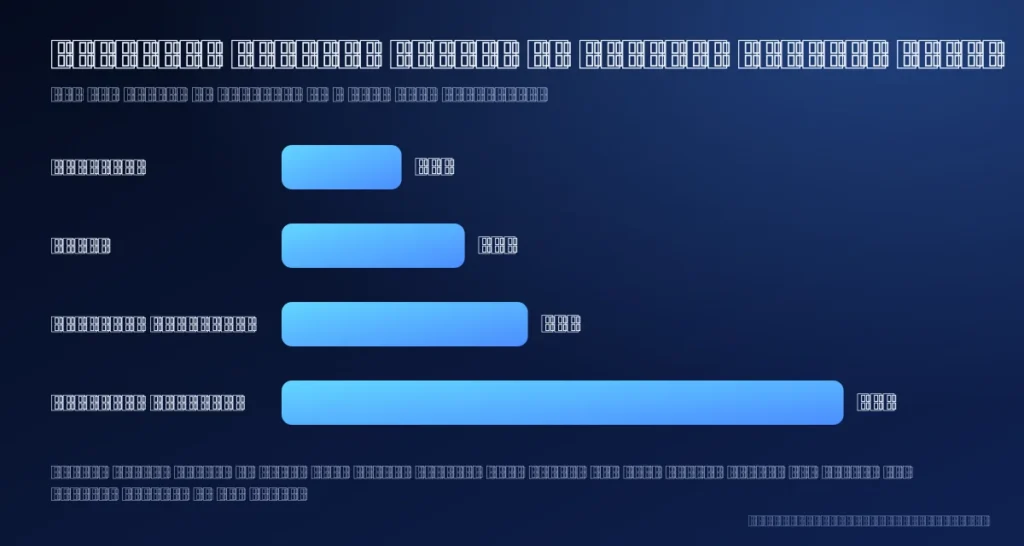
Hosted tools charge a monthly subscription. As reported in a 2026 tool comparison, popular entry prices start at about $19 per month for Chatbase, $29 for Tidio, $39 for FastBots Essential and $89 for FastBots Business. Treat these as a guide only, because vendors change plans often. Check each pricing page before you buy.
Four things usually decide your real bill:
- Message volume. More conversations push you into a higher plan.
- Number of bots or sites. One bot per website is common on lower plans.
- Branding. Removing the vendor logo is often a paid feature.
- Human hand-over. Live chat seats and team inboxes cost extra on some platforms.
A custom build is priced per project instead of per month. Our AI chatbot setup starts at $360, which covers connecting the bot to your content, setting its rules and installing it on your site. An optional monthly care plan keeps the knowledge up to date after launch.
How to set up an AI chatbot on WordPress in five steps
- Choose the approach. Pick a plugin, a widget or a custom build using the table above. If you are unsure, start with a hosted tool on a low plan.
- Train it on your content. Add your service pages, FAQs, price list, delivery and refund policies. Remove anything outdated first.
- Set tone and rules. Decide how the bot speaks and what it must never answer, such as legal or medical advice and custom quotes.
- Install it on WordPress. Use the plugin or paste the embed code into your header through a child theme or a header scripts plugin.
- Test and improve. Ask real questions from past customer emails, then read the chat logs every week for the first month.
Retrain the chatbot whenever your prices or services change. This is the step most owners forget.
What should the chatbot handle, and what should a person handle?

Good chatbots know their limits. Let the bot answer opening hours and location, pricing and package questions, booking and contact links, order and delivery status and your frequently asked questions. Hand the conversation to a person for refunds and disputes, custom quotes, legal or medical advice, upset or urgent customers and anything the bot is unsure about. A clear hand-over route protects your reputation more than any clever prompt.
Common mistakes to avoid
- Training on outdated pages. The bot repeats whatever it reads, so fix your pages first.
- No hand-over path. Always offer email, WhatsApp or a contact form when the bot cannot help.
- Hiding that it is AI. Say clearly that visitors are talking to an AI assistant, and link your privacy policy.
- Slowing the site down. Chat widgets add JavaScript. Load the script after the page has finished loading or after the first interaction, then re-test your Core Web Vitals.
- Never reading the logs. Chat logs show the exact questions your pages fail to answer, so turn the common ones into new content.
Want the chatbot built into a complete site? See our AI website development service.
Frequently asked questions
Can I add an AI chatbot to WordPress for free?
Some platforms offer a free tier or a trial, usually with a low message limit and vendor branding. That is enough to test the idea, but most live business sites move to a paid plan.
Will a chatbot slow down my WordPress site?
It can, because the widget loads extra JavaScript. Choose a lightweight tool, delay loading until the visitor interacts and check your speed scores before and after.
Does a chatbot help my SEO?
A chatbot does not rank pages on its own. Its value is indirect: it converts more visitors into leads, and the chat logs show the questions you should answer in new blog posts and FAQs, which does help search and AI answer engines.
Is an AI chatbot safe for customer data?
Avoid collecting sensitive details in chat, tell visitors they are talking to an AI, link your privacy policy and check where your chosen vendor stores data. For legal requirements in your country, speak to a qualified adviser.
Do I need a developer?
Not for a plugin or widget. You need one for a custom build that connects the bot to your CRM, calendar or store.
Next step
If you want a chatbot trained on your own pages and connected to your lead process, see our AI automation services or contact us for a quote. If you are choosing tools to connect the chatbot to other apps, read our comparison of n8n vs Zapier vs Make. And because answer engines also read your site, a free AI visibility audit shows whether your pages are ready to be cited.