
WordPress Development Services: What You Get, What It Costs and How to Choose
 Ansar Bhatti
10 min read

Short answer: WordPress development services cover everything it takes to build, extend, speed up, secure and maintain a WordPress website: custom themes, plugins, WooCommerce stores, integrations, migrations, performance work and ongoing care. In 2026, published prices run from about $500 to $5,000 for a small template-based site, $5,000 to $15,000 for a custom business site and $8,000 to $35,000 or more from an agency, with maintenance from about $50 to $1,500 a month. What you pay depends far more on scope and who does the work than on WordPress itself.
If you are comparing providers, the hard part is that every company sells something slightly different under the same name. One quote includes design, speed work and training. Another only installs a theme. This guide explains what WordPress development services actually include, what they leave out, what they cost, how a project runs and how to choose a provider you can trust. Ranges come from public 2025 and 2026 pricing guides, not from our own quotes, so use them to sense-check offers.

What are WordPress development services?
WordPress development services are the technical work of building and maintaining a site on the WordPress platform. A developer writes and configures the code, themes, plugins and integrations that turn a design and a plan into a working website. That is different from web design, which decides how the site looks and feels. If you are unsure which one you need, read our guide to WordPress developer vs web designer.
Good development also reaches beyond the launch day. It covers how fast the site loads, how well it is protected, how easy it is for you to edit and how it behaves when plugins or WordPress itself update. Our guide to WordPress development best practices shows what that looks like in practice.
What do WordPress development services include?
Most providers offer a mix of the eight services below. You rarely need all of them at once, so ask for the ones that match your goal.
1. Custom theme development
A custom theme is built from scratch around your brand and content instead of bending a ready-made template. It loads less unused code, is easier to keep fast and gives you full control of layout. It costs more up front, which is why many owners compare it with a page builder first. We break down that choice in custom WordPress theme vs page builder.
2. Plugin and custom functionality
When no plugin does exactly what you need, a developer builds one: a booking flow, a calculator, a members area or a special form. Custom functionality is usually cleaner than stacking five plugins that each do part of the job, and it reduces conflicts and security risk.
3. WooCommerce and e-commerce development
A store needs more than products. It needs a smooth checkout, correct tax and shipping rules, payment gateways, order emails and fast category pages. Developers set these up, customise them and connect the store to your accounting, stock and email tools.

4. Page builder builds
Elementor and similar builders let you edit pages visually. A developer sets the builder up properly, keeps the page weight down and builds reusable templates so your team can add pages without breaking the design.
5. Integrations and automation
Forms that feed your CRM, orders that trigger emails and chatbots that answer common questions all rely on integrations. Developers connect WordPress to other tools through their APIs and automation platforms. See our AI automation services for examples.
6. Speed and Core Web Vitals optimisation
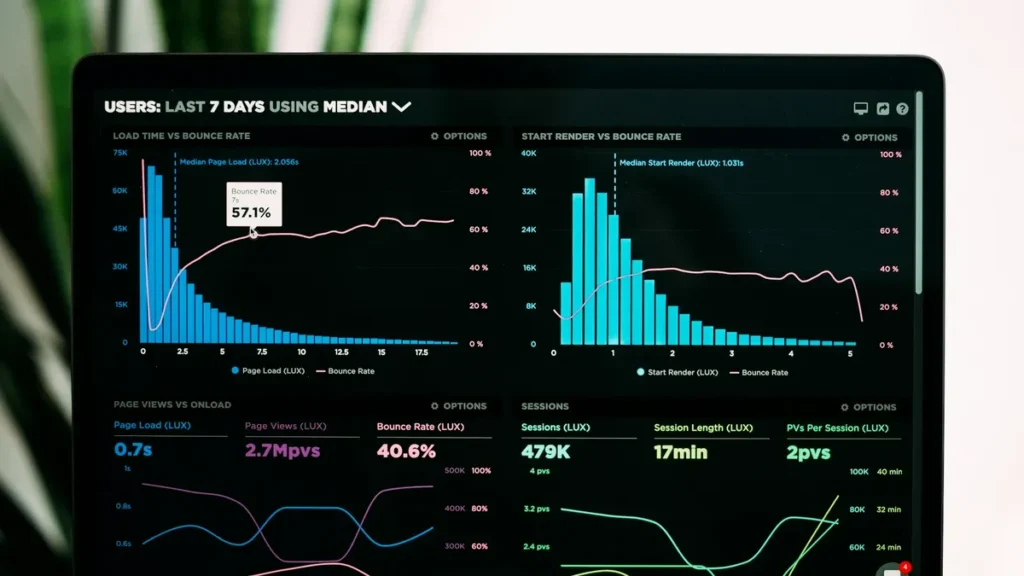
Slow sites lose visitors and rankings. Speed work covers caching, image formats, script loading, fonts and database clean-up, measured before and after on mobile. Our guide to Core Web Vitals and WordPress speed explains what gets measured.
7. Security, maintenance and bug fixing
This covers updates, backups, malware clean-up, login hardening, uptime monitoring and fixing things that break. Most small sites need it as an ongoing plan, not a one-off job. It is also the quickest way to stop a small problem becoming an expensive one.

8. Migration, redesign and upgrades
Moving hosts, rebuilding an old site, switching from another platform or upgrading to a newer PHP version all fall here. A careful migration keeps your URLs, redirects and SEO intact, so rankings do not drop on launch day.
How a WordPress development project works
The names change between companies, but a well-run project follows the same six stages. If a provider cannot explain theirs, treat that as a warning.
- Discovery and scope. You agree goals, pages, features, deadline and budget in writing. This step prevents most later disputes.
- Planning and wireframes. Page structure, navigation and content are mapped before any design or code.
- Design and build on a staging site. Work happens on a private copy, so your live site is never a test bench.
- Content, SEO and integrations. Text, images, metadata, schema, forms and connected tools are added and checked.
- Testing and launch. The site is tested on phones, tablets and browsers, then moved live with backups and redirects in place.
- Handover and care. You receive access, notes and a short walkthrough, plus an optional plan for updates and fixes.

How much do WordPress development services cost?
Published ranges are wide because the word website covers very different jobs. This table rounds figures from three public guides.
| What you are buying | Typical published range | Source |
|---|---|---|
| Basic small business site (template based) | $500 to $5,000 | Freshy Sites |
| Custom theme only | $2,000 to $10,000 | Freshy Sites |
| Custom business website | $5,000 to $15,000 | Freshy Sites |
| Agency WordPress project | $8,000 to $35,000+ | Design in DC |
| E-commerce (WooCommerce) store | $5,000 to $55,000 | Freshy Sites |
| Custom plugin | $500 to $10,000+ | Freshy Sites |
| Ongoing maintenance and care | $50 to $500 per month, or $150 to $1,500 for fuller plans | Freshy Sites, Design in DC |
Hourly rates follow the same pattern. Freshy Sites reports roughly $20 to $100 per hour for freelancers and $100 to $250 or more for senior developers and agencies. For US-based freelancers, $50 to $150 per hour is the realistic middle, which we cover in our WordPress developer cost guide.
What moves the price
- Scope. Ten pages cost less than a store with 500 products and custom shipping.
- Custom or template. Custom code costs more to build and usually less to run.
- Integrations. Every tool you connect adds build and testing time.
- Who does the work. Freelancers, agencies and in-house teams price the same job very differently.
- Deadline. Rush work almost always costs extra.
Be careful with quotes far below these ranges. Design in DC points out that a custom WordPress site quoted under about $4,000 is often a theme with a new logo, not a custom build.
Freelancer, agency or in-house developer?
| Option | Best for | Trade-off |
|---|---|---|
| Freelancer | Small and mid-size sites, direct contact, flexible terms | One person, so plan for holidays and illness |
| Agency | Large projects, tight deadlines, many skills at once | Higher cost and a project manager between you and the builder |
| In-house developer | Daily changes and long-term product work | Salary, tools and management, all year round |
Most small businesses get the best value from a proven freelancer or a small specialist studio. Our step-by-step guide on how to hire a WordPress developer covers where to find one and how to vet them.

How to choose a WordPress development provider
Use the same seven checks on every candidate so the comparison is fair.
- Relevant live examples. Open the sites on your phone. Check speed, forms and layout, not just screenshots.
- A written scope and price. Pages, features, revisions and exclusions should all be on paper.
- A staging site. Work should never happen on your live site.
- Clear ownership. You should own the code, content and accounts when you have paid.
- Speed and SEO built in. Ask how they handle Core Web Vitals, schema and redirects.
- Support after launch. Ask what is covered, for how long and at what price.
- Plain-English communication. Notice who explains trade-offs honestly instead of selling one favourite tool.
What is usually not included
Quotes often leave out items you still have to budget for:
- Domain name and hosting, which are paid to the provider. Managed WordPress hosting commonly runs about $30 to $300 a month.
- Premium theme and plugin licences, usually renewed each year.
- Content, copywriting and photography, unless they are written into the contract.
- Ongoing SEO, which is a separate service from the technical SEO set-up during the build.
- Support after the agreed fix period, which is normally a separate care plan.
Our WordPress development services
We build WordPress sites that are fast, secure and ready to rank, with SEO, schema and AI search readiness included from the start. Every project has a written scope, a fixed price, a staging site and a handover pack. Starting prices:
- Business Website, from $1,080: up to 8 pages, mobile-first design, contact forms and WhatsApp, on-page SEO set-up, speed optimisation and post-launch support.
- Custom Website, from $3,150: a custom-coded theme, up to 15 pages plus a blog, WooCommerce or booking ready, schema, Core Web Vitals work and training.
- Custom Theme, from $1,350: a unique design from scratch with up to 6 custom templates and full code ownership.
- Care Plan, from $45 a month, or hourly support from $35, for updates, backups, fixes and monitoring.
See the pricing page for full details, or read about our SEO and WordPress services and WordPress SEO services.
Running an online shop? Read our WooCommerce SEO guide and learn how to send shipment tracking emails in WooCommerce automatically.
n
If you want AI features built in, see our AI website development.
If you want a bot on your site, see our AI chatbot for WordPress guide.
Frequently asked questions
What are WordPress development services?
They are the technical services that build, extend, speed up, secure and maintain a WordPress website, including custom themes, plugins, WooCommerce, integrations, migrations and ongoing care.
How much do WordPress development services cost?
Published 2025 and 2026 ranges run from about $500 to $5,000 for a basic site, $5,000 to $15,000 for a custom business site and $8,000 to $35,000 or more from an agency. Maintenance is typically $50 to $1,500 per month depending on the plan.
How long does a WordPress development project take?
A small business site commonly takes two to six weeks. Custom builds and online stores take longer, often six to twelve weeks, depending on content, integrations and how quickly you give feedback.
Do WordPress development services include hosting?
Usually not. Hosting and the domain are normally billed separately by the hosting company, although some providers bundle managed hosting into a monthly plan. Check the contract so you know who pays for what.
Do I need a custom theme or is a premium theme enough?
A premium theme or page builder is fine for a simple site on a tight budget. A custom theme pays off when speed, unique branding or special features matter. Our theme vs page builder guide helps you decide.
Is WordPress development the same as web design?
No. Design decides how the site looks and feels. Development builds it, makes it work and keeps it fast and secure. Many projects need both, and some developers cover both.
Do WordPress development services include SEO?
Good ones include technical SEO during the build: fast loading, clean code, metadata, schema and redirects. Ongoing SEO such as content and link building is a separate service.
Next step
If you would like a clear, itemised quote for a WordPress build, redesign or ongoing care, send us your brief and you will get a reply within 24 hours. You can also read the full pricing page first.
Sources: Freshy Sites, WordPress development cost, Design in DC, WordPress website development services and Multidots, WordPress development services, checked October 2026. Figures are rounded and are published ranges, not quotes.


