Ansar Bhatti

Short answer: To get cited in Google Gemini, make sure Googlebot can crawl and index your pages, do not block the Google-Extended token by accident, answer real questions in plain text near the top of the page, keep your business facts consistent everywhere, and earn mentions on the pages Gemini already links to. There is no guaranteed method and no special markup. Gemini cites a page only after it decides a search would help, so your job is to be the clearest and most trusted source for that search.
How Gemini decides what to cite
Gemini is Google’s AI assistant. In many answers it works from what the model already knows, and when it judges that a search would improve the answer, it can use Google Search to ground the reply and show links to sources. That means two things for you. First, your pages need to be part of the Google index. Second, the question being asked has to be one where Gemini chooses to look things up, which is usually a recent, local, product or fact based question.
Google has not published a ranking formula for Gemini citations, so be careful with anyone who claims to know one. What Google does publish is guidance for its AI features in Search, and that guidance is the safest base to work from.
Gemini, AI Mode and AI Overviews are not the same thing
| Surface | Where it appears | How sources are found | What you control |
|---|---|---|---|
| Gemini app | Chat in the Gemini app and on the web | Model knowledge, plus Google Search grounding when it decides to search | Googlebot access and the Google-Extended token |
| Google AI Mode | A tab inside Google Search | Query fan-out: several related searches run at once | Indexing, snippet eligibility, snippet controls |
| AI Overviews | The top of some Google results | Appear only when Google decides they add value | Indexing, snippet eligibility, snippet controls |
Because each surface behaves differently, a page can be cited in one and absent from another. Measure them separately. For the Search side, read our guides on how to rank in Google AI Overviews and whether Google AI Mode uses schema markup.
7 steps to get cited in Google Gemini
1. Make sure Google can crawl and index the page
Google states that a page must be indexed and eligible to show in Search with a snippet to appear as a supporting link in its AI features. Allow crawling in robots.txt and in any CDN or hosting firewall, and confirm the page is indexed with the URL Inspection tool in Search Console. If a page is not indexed, nothing else on this list matters.
2. Check the Google-Extended token in robots.txt
Google-Extended is a robots.txt token that lets you control whether content Google crawls can be used for Gemini model training and for grounding in Gemini apps. Google says it does not affect inclusion or ranking in Google Search. If your robots.txt disallows it, you may be removing yourself from Gemini grounding without gaining anything in Search. Open your robots.txt and look for it, and check Google’s current documentation for the exact scope. We cover the bigger picture in our guide to allowing or blocking AI crawlers in robots.txt.
One caution: some studies link blocking Google-Extended to fewer Gemini citations, but the evidence is correlation, not proof, and large publishers that block it are still cited. Treat it as a reason to decide on purpose, not as a magic switch.
3. Put the answer first
Start each section with a direct answer in one to three sentences, then add detail. Use a clear heading that matches the question, such as how much does a service cost or how long does a process take. Short, self-contained answers are easier to lift and quote than long introductions.
4. Keep important facts in plain text
Google asks for important content to be available as text. Put prices, service areas, specifications, dates and definitions in readable HTML, not only in images, sliders or scripts. Add specific numbers with the time period they apply to, because vague claims give an AI little to quote.
5. State your business facts clearly and keep them consistent
Write your name, what you do, where you work and who runs the business on your own site, and match it to your Google Business Profile and other official profiles. If your pricing or address differs between your site and a directory, an AI has to choose one. Consistent facts also help assistants describe you correctly, which matters as much as being cited. Our GEO services start with exactly this clean-up.
6. Earn mentions on pages Gemini already cites
Run your target questions in Gemini and note which sites it links to. Those pages are the ones the system already trusts for that topic. Getting listed, quoted or reviewed there can do more than publishing a fifth article on your own site. Look for industry directories, comparison pages, local sources and trade publications that fit your business.
7. Build a fixed question set and test it over time
Write ten to twenty real customer questions. Ask them in Gemini, AI Mode and AI Overviews every month, and save the answer, the sources and whether you were named. Compare like with like. Note also whether the answer about you is correct, because a citation with wrong details is a problem to fix. Our guide to tracking brand visibility in AI search shows a simple way to do this, and an AI visibility audit does it for you.
What does not work
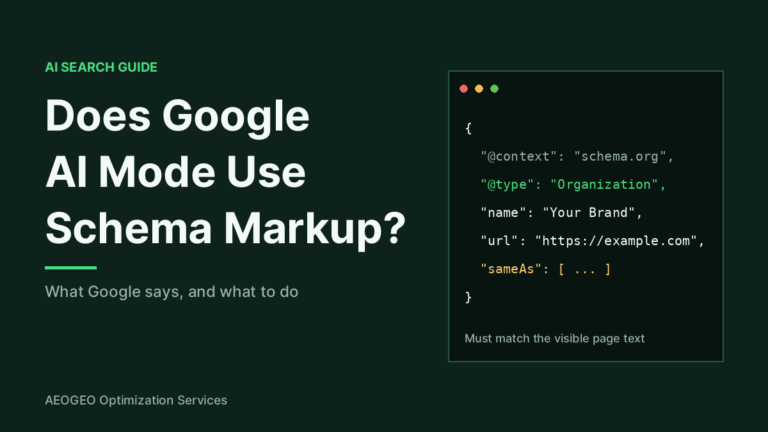
- Special schema for Gemini. Google says no special structured data is needed for its AI features. Schema should match the visible text, and it still helps Google understand the page.
- An llms.txt file for Google. Google says you do not need AI text files to appear in AI Overviews or AI Mode. See what llms.txt is before you spend time on one.
- Keyword stuffing for prompts. Assistants read meaning, not keyword counts.
- Guarantees. Anyone promising a Gemini citation is guessing. Better answers raise your chances and nothing more.
How to check if you are being cited
- Open Gemini and ask a question your customers would ask, using a clear location or product when it applies.
- Look at the sources or links shown, and check whether your domain appears.
- Repeat the question in AI Mode and note any difference.
- Check Search Console. Google says traffic from AI Overviews and AI Mode is counted in the Web search type in the Performance report, mixed with normal clicks.
- Repeat monthly and keep the results in one sheet.
Compare with other assistants too. We wrote separate guides on how to get your brand mentioned in ChatGPT, how to get cited by Perplexity, how to rank in Microsoft Copilot and how to optimize for Claude AI search.
FAQ
How do I get cited in Google Gemini?
Let Googlebot crawl and index your pages, avoid blocking Google-Extended by mistake, answer questions in plain text near the top of the page, keep your business facts consistent and earn mentions on sources Gemini already uses. No method is guaranteed.
Does Gemini show sources?
It can. When Gemini uses Google Search to ground an answer, it may show links to the pages it used. Not every answer includes a search, so not every answer has sources.
Should I block Google-Extended?
That is a business decision. Google says the token does not affect Search inclusion or ranking, but it controls whether your content can be used for Gemini training and grounding. If you want to be eligible for Gemini grounding, do not disallow it.
Does schema markup help Gemini cite my site?
Google says no special schema is required for its AI features. Accurate markup still helps Google understand a page. Read our article on whether ChatGPT uses schema markup for the same question on another assistant.
How long until Gemini cites a new page?
There is no fixed time. The page must be crawled and indexed first, and citations depend on the question being asked. Test monthly instead of expecting a quick result.
Want help getting cited in Gemini and other AI tools?
We test your key questions across Gemini, AI Mode, ChatGPT and Perplexity, fix crawl access and content gaps, and give you a clear plan. Start with an AI visibility audit or see our AI search optimization for small business, then contact us for a free review.