How to Rank in Microsoft Copilot (Bing): 8 Practical Steps
 Ansar Bhatti
6 min read

Short answer: to rank in Microsoft Copilot, make your site fully indexed in Bing, because Copilot’s web answers are grounded in Bing search results. Verify your site in Bing Webmaster Tools, submit your sitemap, use IndexNow so changes are picked up quickly, keep Bingbot unblocked, and publish clear, well-structured pages that answer specific questions. Copilot shows source links, so being a trusted, easy-to-quote page is what earns citations. This guide gives the steps in order, with honest notes about what Microsoft has and has not confirmed.
How Microsoft Copilot finds and cites sources
When Copilot needs current information, it searches the web and builds an answer from the pages it finds, then shows links to the sources. Microsoft’s own documentation ties Copilot’s web grounding to the Bing search index. In practice that means the pages Copilot can cite are, first of all, pages that Bing has crawled, indexed and judged relevant for the question.
Microsoft does not publish a ranking formula for Copilot citations, so nobody can promise placement. What you can control is eligibility and quality: whether Bing can find your pages and whether a passage on them answers the question better than the alternatives.
Step 1: Verify your site in Bing Webmaster Tools
- Create a free Bing Webmaster Tools account and add your site. You can import it from Google Search Console to save time.
- Verify ownership using a DNS record, a meta tag or an XML file.
- Submit your sitemap, for example
/sitemap_index.xmlif you use Rank Math. - Use the URL Inspection tool to check that key pages are indexed and to request indexing of new ones.
Many sites are well indexed in Google and barely indexed in Bing, simply because nobody set up Bing Webmaster Tools. Fixing that is often the single biggest Copilot improvement.
Step 2: Use IndexNow
IndexNow is an open protocol that lets you notify participating search engines, including Bing, when a page is created, updated or deleted. Instead of waiting for a crawl, you send a ping. On WordPress, Rank Math includes an instant indexing module that supports IndexNow, and other plugins offer similar features. Turn it on, generate the key file and confirm that new posts are submitted. Note that Google does not use IndexNow, so you still request indexing in Search Console for Google.
Step 3: Let Bingbot in
- Make sure robots.txt does not disallow
bingbot. - Check your firewall, CDN and security plugin for rules that block or challenge Bing’s crawler.
- Keep server response times low. Slow servers get crawled less.
Our guide to checking whether AI bots crawl your website explains how to read your logs for crawler visits, including Bing’s.
Step 4: Write pages that answer one question clearly
Copilot cites passages. Make each key page easy to quote.
- Use a heading that matches the question and give a direct answer in the first one or two sentences.
- Follow with steps, a short list or a table that supports the answer.
- State specifics: prices, ranges, locations, dates and conditions.
- Add a short FAQ for related questions.
This is the heart of answer engine optimization. For page patterns, see our AEO guide for WordPress.
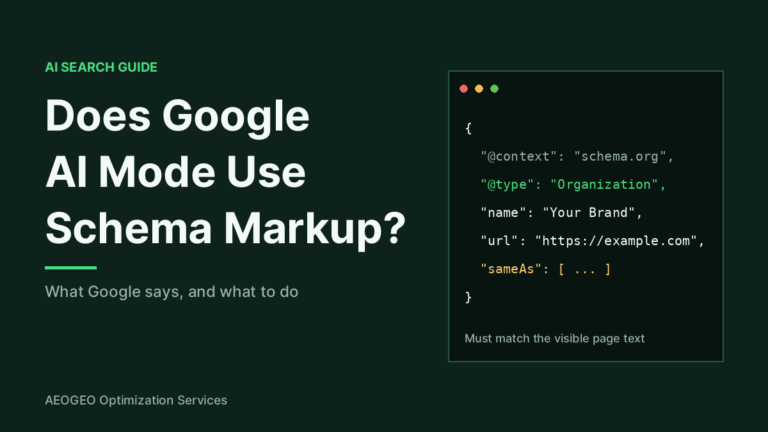
Step 5: Add accurate structured data
A Microsoft representative has said publicly that schema markup helps Microsoft’s AI systems understand content. Treat that as a reason to mark up what is true and visible, not as a guarantee of citations. Priorities are Organization, WebSite, Article, BreadcrumbList and, for local businesses, LocalBusiness. See our JSON-LD guide and our article on what is known about schema and AI.
Step 6: Claim your local and business profiles
For local searches, Bing draws on Bing Places for Business and on directory data. Claim your listing, keep your name, address and phone number identical to your website and fill in categories, hours and photos. You can import an existing Google Business Profile. Consistent facts make it easier for Copilot to describe you correctly.
Step 7: Build trust signals Copilot can see
- Mentions and links from relevant, credible sites.
- Genuine customer reviews on platforms people use.
- Visible authorship, an About page and contact details.
- Fresh content, updated when facts change.
These are also the signals behind getting mentioned in ChatGPT, so the work helps across assistants.
Step 8: Measure Copilot visibility
- Manual testing. Ask Copilot the questions your customers ask, note whether you are cited and who is. Repeat monthly using the method in our AI visibility tracking guide.
- Bing Webmaster Tools. Microsoft has been testing an AI Performance report that shows how often your pages are cited in Copilot and partner experiences, according to industry reports in early 2026. It may not be available on every account yet, so check your Search Performance section.
- Analytics. Look for referrals from Copilot and Bing.
Common mistakes
- Ignoring Bing because Google sends most traffic.
- Blocking Bingbot with a security rule.
- Publishing vague pages with no direct answer.
- Letting business details differ between your site and your profiles.
- Expecting results in days. Indexing is quick, but trust takes longer.
Frequently asked questions
Does Copilot use Bing?
Yes. Microsoft’s documentation describes Copilot’s web grounding as based on Bing search, so Bing indexing is the foundation.
Do I need to rank number one in Bing to be cited?
No. Pages that rank well are more likely to be used, but Copilot picks sources by relevance to the question, so a clear, specific page can be cited without being first.
Is Copilot SEO different from Google SEO?
The fundamentals are the same. The differences are Bing Webmaster Tools, IndexNow and Bing Places.
How fast will changes appear?
With IndexNow, Bing can discover changes within hours or days. Gaining citations usually takes longer.
Can I block Copilot but stay in Bing?
Controls exist, such as robots meta directives, but they also affect normal Bing features. Think carefully before limiting snippets.
Also read: how to get cited in Google Gemini.
Get your Bing and AI visibility checked
We can review your Bing indexing, crawler access and answer-ready pages as part of an AI visibility audit. Contact us with your website address and we will tell you what to fix first.